

newsroom18 | 09 | 2026
A network doesn’t finish paying off when it enters the platform. It pays off when you can measure it, compare it and act on it like any other channel.
A large share of a brand’s spend doesn’t travel over an API. Taboola, Outbrain, an in-house DSP, TV spend, out-of-home: real performance that until now entered Bunker through Datasets. Bringing it in was always possible. What changes with Custom Networks is how much you can do with that data once it’s inside.
With Datasets, that information already lived in the platform and fed your reports. Custom Networks takes the next step for one specific case: networks without a native integration stop being an annex and start behaving like one more channel, with KPIs, campaigns and taxonomy included.
The launch has a double focus: less friction to connect whatever network your brand uses, and full integration into the Bunker ecosystem. You load once, and that network stands alongside your native channels.
The starting point
Worth starting by acknowledging it: Datasets solved the problem it was built for. It gave you a flexible place to load and manage any first-party data, aligned to your business logic — from physical store records to surveys or product performance. That repository is still how you bring in information that doesn’t arrive through an automatic connection.
Inside that flexibility there was one case that called for more specific treatment: media networks without an API. Loading them as one more dataset worked, but the flow carried repeated manual work. For every period you had to build the sheet, reapply Bunker’s taxonomy and add a totals row; metric mapping was done by hand, column by column.
And there was a ceiling: once loaded, that data worked for reporting, but not yet for building KPIs or campaigns on top of it. That is exactly the case Custom Networks takes one step further.
Definition
A custom network is simply a network Bunker has no API integration with. Instead of connecting on its own, you bring its performance from a file or a spreadsheet.
The typical cases are the ones you solve today outside native connections:
The criterion
If a network’s performance lives in a Google Sheet or a CSV/XLSX and not in an API, it’s a candidate to become a custom network. Everything you have been uploading through Datasets falls into this category.
What’s new
The underlying change is one of location and method. Custom Networks splits off from Datasets and moves into Connections, with its own step-by-step guided wizard.
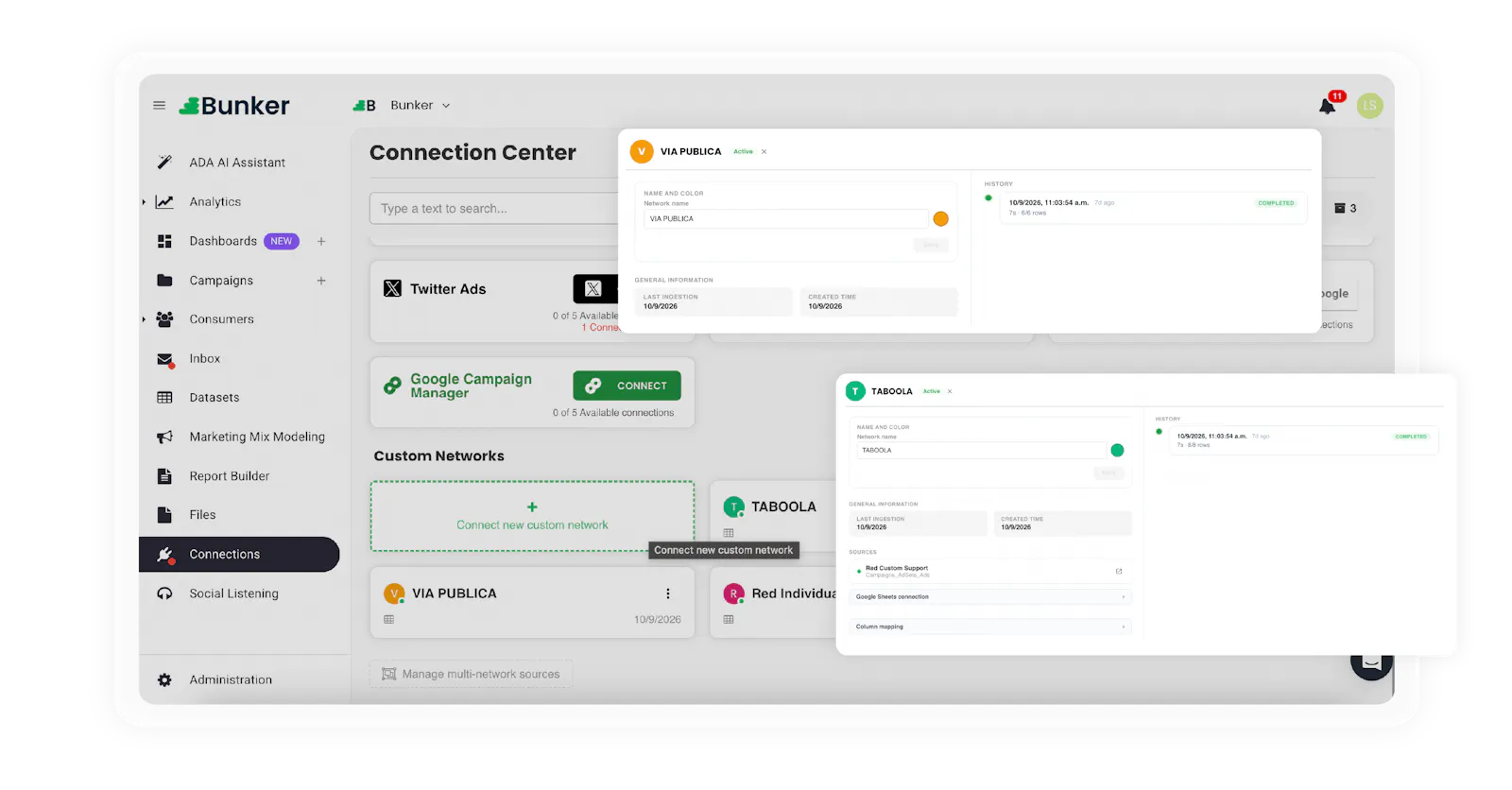
You bring your data (Google Sheets or CSV/XLSX) and ADA maps the metrics for you: it proposes the metric and the type for each column, and your job becomes reviewing instead of building the mapping from scratch. You no longer need the totals row, because Bunker totals on its own.
Mapping stopped being a task. Now it’s a review.
The integration
This is the jump that matters. Once created, the custom network doesn’t sit off to the side as a dataset: it’s one more channel inside Bunker, with the same capabilities as your native connections.
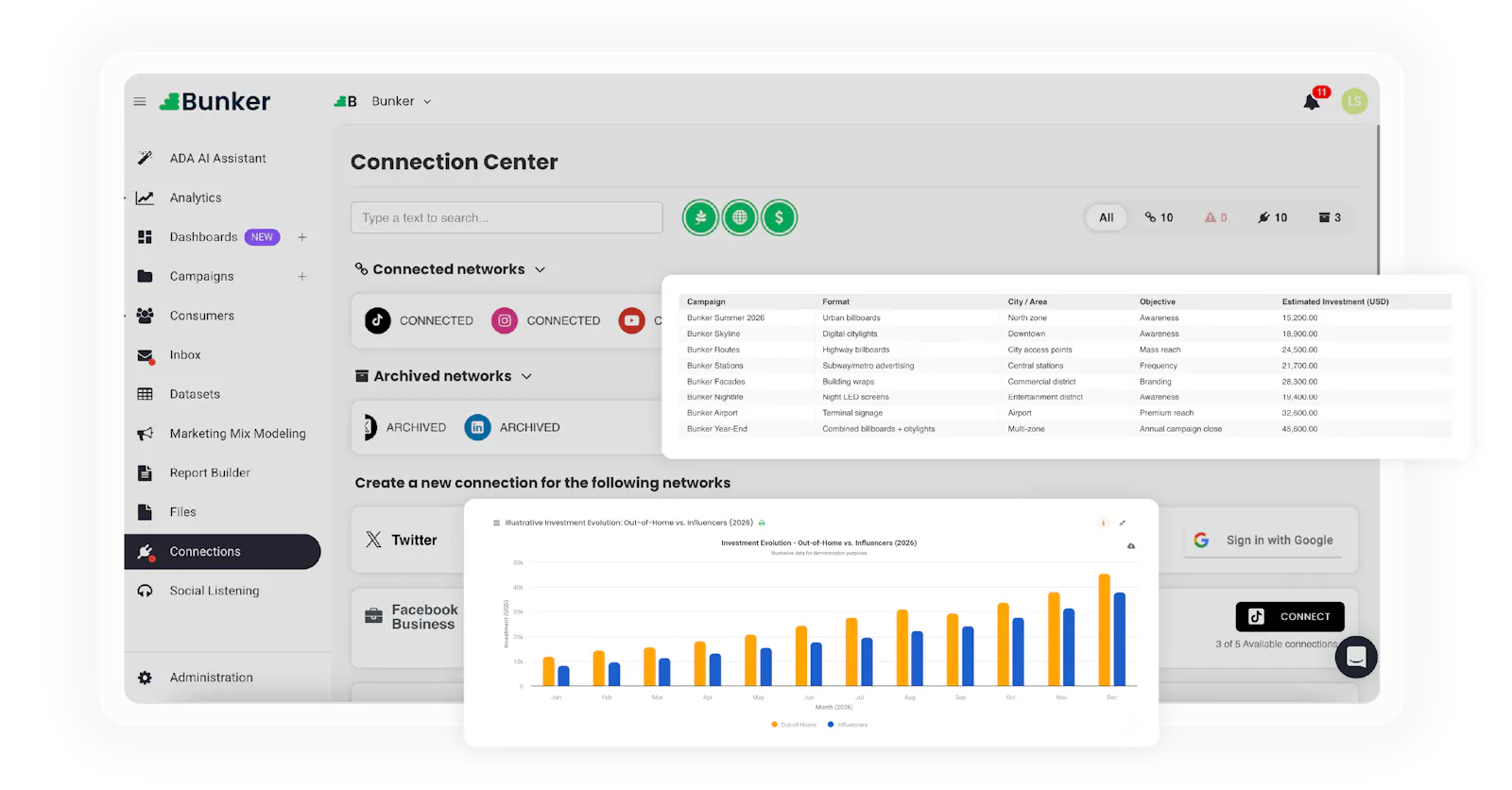
In practice, your Taboola or OOH spend stops being an appendix to the analysis and starts competing on equal terms with Meta, Google or TikTok inside your cross-media measurement. What comes in as a file behaves like a channel.
Comparison
Two tables summarize the shift. The first, how the network is created and loaded.
| Capability | Before | Now |
|---|---|---|
| Place in the platform | A load type inside Datasets | Its own module in Connections |
| Loading process | Manual, with its own steps | 5-step guided wizard (Sheets or CSV/XLSX) |
| Metric mapping | On the user, column by column | ADA proposes metric and type; you review |
| Updating by period | A new sheet per period, reapplying the taxonomy | The period is a column: you add rows to the same file |
| Totaling | Totals row inside the file | Bunker totals on its own, for any period |
The second, what you can do with that data once connected. One honest nuance: not everything in the Now column is brand new. Part of it already existed, and what changes is that it no longer requires manual steps.
| What you can do | Before | Now |
|---|---|---|
| KPIs | ✗ | ✓ |
| Bunker campaigns | ✗ | ✓ with your taxonomy |
| Cross-connection | ✓ with manual mapping | ✓ mapping resolved at creation |
| Reports | ✓ | ✓ custom data comes in as one more channel |
| Dynamic charts | ✓ | ✓ now with custom data too |
Read together, the point isn’t that the data can now be loaded — that already happened. It’s what gets unlocked afterwards: the same network that used to work for reporting now works for measuring with KPIs, activating campaigns and cross-referencing with the rest of your channels.
Day to day
It’s worth pausing on the most concrete day-to-day change: how you keep the network up to date.
Before, each period was a new sheet. Now the period is a column: you load the daily detail and, to update it, you add rows to the same file. No new sheets, no reapplying the taxonomy, no building the totals row, because Bunker totals on its own for whatever period you query.
Load once and forget about it.
An honest nuance
The biggest time gain shows up when you bring daily data. If your only possible export is period totals, the custom network still works — you just get less out of the add-rows logic. The tool doesn’t invent detail the file doesn’t carry.
Custom Networks is part of Bunker Analytics, our platform for measuring cross-media performance and deciding on precise data. The idea behind the launch is simple: no network your brand uses should stay out of the analysis just because it has no API.
If you load any of these networks through Datasets today, the natural path is to rebuild them as a custom network in Connections. Bring daily data whenever you can and let ADA propose the mapping: that’s where the biggest time gain is. If you want to see how your spend without an API looks integrated with the rest of your channels, let’s talk.
Lucas Suarez
Marketing Analyst
1/9


