

blog05 | 03 | 2026
In the world of digital marketing, turning data into clear visualizations can take hours. Copying metrics, building tables, designing charts, and adjusting dashboards is still a manual process for many agencies across LATAM.
Today, thanks to artificial intelligence, it’s possible to implement Text to Chart: automatically converting text into charts using AI Chart technology and advanced automation.
IN THIS ARTICLE
Imagine you manage an ecommerce business running campaigns on Meta, Google Ads, and TikTok Ads focused on major events like Hot Sale, Summer, Outlet, or Back to School.
With a single instruction to ADA AI, for example:
“Show me spend, reach, and CTR for campaigns grouped by category over the last 90 days.”
Within seconds, Text to Table generates a clear, structured table—without spreadsheets, manual filters, or complex data manipulation.

Text to Chart is a technology that converts structured text or descriptive data into automatic charts.
An AI Chart system can:
Instead of manually creating visualizations in Excel, Looker Studio, or PowerPoint, artificial intelligence interprets the text and generates the chart in seconds.
Most teams still operate this way:
For agencies managing multiple accounts, this quickly becomes unsustainable.
This is where the concept of AI Chart for automated reporting comes into play.
An AI Chart is an automatic chart generation system powered by artificial intelligence.
Unlike traditional dashboards, an AI Chart:
At BunkerDB, the Text to Chart with AI functionality is designed to transform Paid Media reports into automatic visualizations in seconds, completely eliminating traditional manual processes. Instead of exporting data, building tables in Excel, and designing charts one by one, the system uses artificial intelligence to interpret key metrics and generate ready-to-use visualizations directly within the dashboard.
The process is simple yet powerful. First, it leverages data from Meta Ads, Google Ads, and other platforms, previously centralized and normalized within the Bunker Analytics environment. Then, the ADA AI engine automatically identifies metrics such as ROAS, CPC, CTR, CPA, spend, and conversions. Based on this interpretation, the system determines the most appropriate visual format—whether bar chart, line chart, comparison view, or trend analysis—and generates it instantly within the dashboard interface.
All of this happens without exporting files to Excel, building manual tables, or designing charts from scratch. The result is a fully automated reporting system for Meta Ads, Google Ads, and multichannel campaigns, enabling agencies and marketing teams to scale operations, reduce human error, and focus their time on strategic analysis rather than repetitive tasks.
Instead of reviewing campaigns one by one, Text to Table automatically groups your data based on concepts or keywords detected in campaign naming conventions. Within seconds, you can see how much you invested per category or event, and which one generated the highest engagement.
You can see, for example, that “Summer” had lower investment than “Outlet,” but achieved a higher CTR. These types of patterns help you identify opportunities to reallocate budget toward what truly performs best.
ADA AI can also combine data from Meta, Google, and TikTok to show which platforms are driving your objectives more effectively—without the need to switch between dashboards.
In each case, ADA interprets the context, builds the table automatically, and displays relevant metrics such as spend, reach, clicks, or CPC.
Once the table is generated, you can take the next step:
All without leaving the BunkerDB environment.
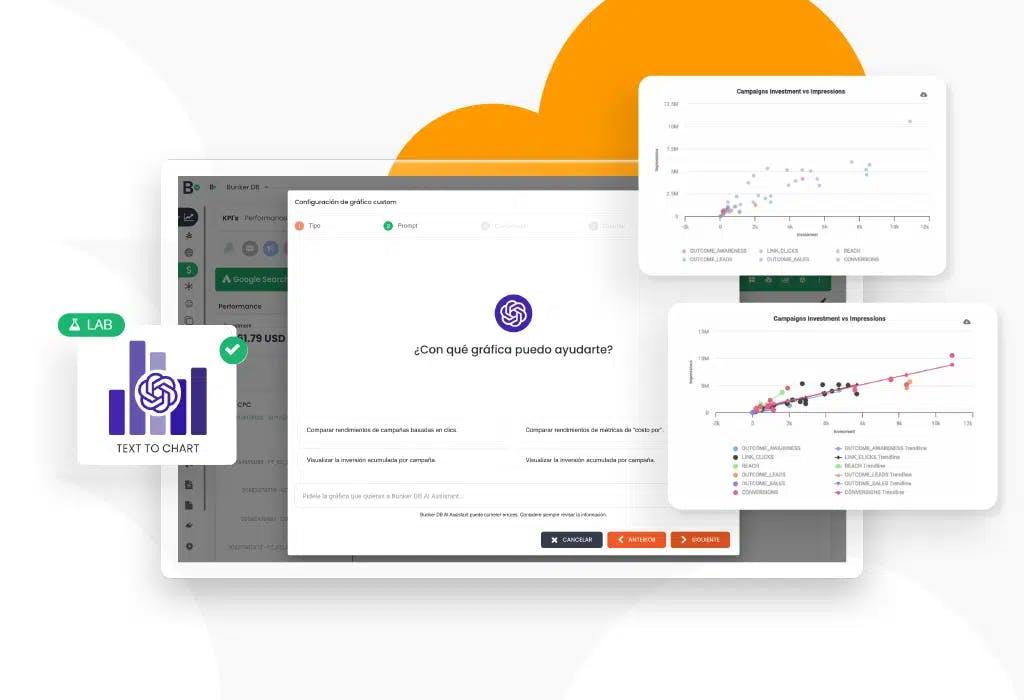
With Text to Table, organizing advertising investment no longer requires hours of analysis or spreadsheets. The tool transforms scattered data into an executive, actionable view—helping marketing teams clearly understand performance and optimize budgets intelligently.
The next time you’re managing dozens of active campaigns, you only need one question:
“ADA, can you show me how I’m allocating my budget by category?”
Within seconds, you’ll have the answer.
👉 Book a meeting with us and discover how Text to Table can help you make faster, smarter decisions with your data.

Lucas Suarez
Marketing Analyst @BunkerDB
1/9


